
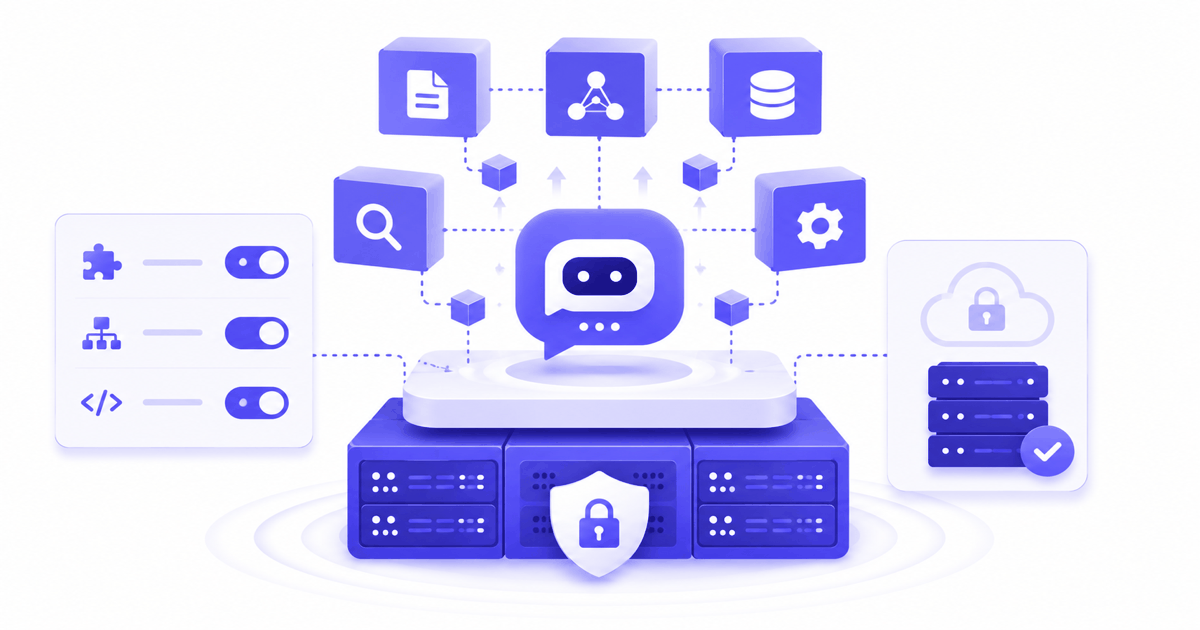
Most enterprise AI chatbot projects stall not because the technology is immature, but because IT and legal cannot agree on where the data goes. A self-hosted RAG chatbot resolves that blocker at the architecture level.
What is a self-hosted RAG chatbot and why does it matter for enterprises in 2026?
A self-hosted RAG chatbot runs on your servers, retrieves answers from your internal documents, and never routes data through external cloud APIs. Your organization controls everything.
Enterprise generative AI adoption accelerated sharply: Menlo Ventures measured enterprise generative AI spend at $37 billion in 2025, up from $11.5 billion in 2024. Deloitte’s State of AI in the Enterprise 2026 found that worker access to AI rose 50% in 2025, with companies deploying 40% or more of AI projects to production set to double.
Yet EU enterprise AI adoption still stood at 13.48% in 2024 according to Eurostat. The gap between global momentum and EU adoption is not a lack of interest: it is a data governance problem. Regulated European enterprises cannot send legal contracts, HR data, or product documentation to US cloud APIs without addressing GDPR, the US CLOUD Act, and increasingly the EU AI Act.
Self-hosted deployment closes that gap. The chatbot runs inside your network perimeter, ingests your documents, and answers employee questions using your company knowledge. No data leaves your infrastructure. The AI model itself can be an open-source LLM running locally (Mistral, Llama) or a commercial API routed through your own proxy. You choose.
For a foundation on how RAG technology works before evaluating deployment options, read What is RAG? The Enterprise Guide 2026.
What data sovereignty and GDPR risks does a cloud RAG chatbot create?
Cloud RAG routes your documents through vendor servers subject to the US CLOUD Act, creating transfer risks that on-premise deployment eliminates by design.
N-IX on data sovereignty defines data sovereignty as the principle that data is subject to the laws of the jurisdiction where it is generated, collected, or stored. For European enterprises, this creates a concrete conflict: US cloud providers like Azure OpenAI, AWS Bedrock, and Google Vertex AI are incorporated in the United States. The US CLOUD Act allows US authorities to compel production of data held by US-headquartered companies regardless of server location.
Running an Azure OpenAI chatbot with a Frankfurt data center does not resolve this. The legal entity controlling the infrastructure is still US-incorporated. Some EU national regulators, including the German BfDI and the French CNIL, have questioned whether EU data center location is sufficient when the control plane remains under US jurisdiction.
Microsoft’s own 2026 AI sovereignty guidance acknowledges that enterprises must now actively manage sovereignty risk to scale AI programs responsibly, reflecting how central this concern has become in enterprise AI governance.
The self-hosted approach removes the question. Data stays in your infrastructure, under your jurisdiction, with no outbound transfer to any third party. For GDPR compliance specifically:
- Cross-border transfer risk: eliminated, since no data leaves your servers
- Data subject rights (access, erasure): fully under your control, directly on the vector index
- Audit logging: stays inside your perimeter, accessible only to your team
- DPA agreements: not required with external vendors because there are no external vendors processing your data
For a detailed analysis of GDPR obligations specific to on-premise AI deployment, see our guide: On-Premise AI Chatbot for European Enterprises: GDPR Guide 2026.
Does deploying a self-hosted RAG chatbot require a DevOps team?
No. A purpose-built no-code platform installs via a single command and configures document connectors, access rights, and channel activation through a graphical interface.
The common assumption is that self-hosted means complex. This was true for custom-built RAG architectures. According to Articsledge, a comprehensive custom RAG deployment takes 3 to 6 months of engineering work. A simple FAQ bot requires 1 to 2 months.
Purpose-built no-code platforms operate on an entirely different timeline. The full stack (vector database, LLM gateway, retrieval pipeline, administration interface) installs as a packaged deployment. Document connectors for SharePoint, Confluence, and PDF repositories configure in minutes via a web interface, not CLI scripts.
The work your IT team actually needs to handle:
- Provision a server or VM (standard hardware, no specialized knowledge required)
- Run the installation command
- Grant the platform connector access to your document sources (OAuth or service account)
- Configure network access for employee-facing channels (Teams, intranet widget)
No Kubernetes. No Python environment management. No vector database administration. The platform handles ingestion, chunking, embedding, indexing, and query routing transparently.
MindStudio’s comparison of self-hosted vs cloud AI workspaces confirms that modern self-hosted platforms have closed the operational complexity gap. The main remaining difference is who manages infrastructure updates: your team with self-hosted, the vendor with SaaS. For enterprises with basic IT infrastructure management capability, this is a non-issue.
What are the infrastructure requirements for a self-hosted RAG chatbot?
Minimum viable infrastructure for most enterprise workloads: 16 GB RAM, 4 CPU cores, and 100 GB SSD. A dedicated GPU is optional if using a managed LLM API.
Self-hosted RAG has four infrastructure components. Understanding each prevents both over-provisioning and under-provisioning:
| Component | Purpose | Minimum Spec | Recommended |
|---|---|---|---|
| Application server | Hosts the platform and API layer | 4 vCPU, 16 GB RAM | 8 vCPU, 32 GB RAM |
| Vector database | Stores document embeddings for retrieval | 50 GB SSD, 8 GB RAM | 200 GB SSD, 16 GB RAM |
| LLM inference | Generates answers from retrieved context | Cloud API (no GPU needed) | GPU server (NVIDIA A10/A100) for local model |
| Document storage | Persists source documents and index | 100 GB SSD | 500 GB+ depending on document volume |
Practical sizing guidance:
- Up to 200 concurrent users, under 50,000 documents: a single server with 16 GB RAM and 4 cores handles the load comfortably
- 200-500 concurrent users, up to 200,000 documents: 32 GB RAM, 8 cores, dedicated vector database instance
- 500+ concurrent users or millions of documents: horizontal scaling with load balancer; consult your RAG platform vendor for capacity planning
On the LLM inference question: you do not need a GPU to run a self-hosted RAG chatbot. If your compliance policy allows routing generation traffic to a commercial API (OpenAI, Anthropic, Mistral), the application server handles retrieval locally and only the final generation call goes external. If full on-premise LLM inference is required for maximum data sovereignty, a GPU is needed. Entry-level options (NVIDIA A10, 24 GB VRAM) run 7B to 13B parameter models capable of production-grade quality for most enterprise Q&A use cases.
Existing infrastructure compatibility: most enterprise server rooms or private cloud environments (VMware, Proxmox, on-premise Kubernetes) already meet these requirements. No specialized AI hardware investment is typically required to get started.
Self-hosted vs cloud RAG: how to choose the right deployment model?
Choose self-hosted when data sovereignty, compliance, or security policy is non-negotiable. Choose cloud SaaS when speed of deployment and zero infrastructure management are the priority.
Neither model is universally better. The decision framework below matches deployment model to organizational reality:
| Criterion | Self-Hosted | Cloud SaaS |
|---|---|---|
| Data sovereignty | Full control, no external exposure | Depends on vendor jurisdiction |
| GDPR / CLOUD Act | Resolved by architecture | Requires vendor GDPR DPA + risk assessment |
| Deployment time | 48 hours (no-code platform) | Hours to days |
| Infrastructure management | Your IT team | Vendor responsibility |
| Scalability | Requires hardware planning | Elastic, instant |
| Cost model | License + infrastructure (predictable) | Per-use or per-seat (scales with usage) |
| LLM flexibility | Choose any model, including open-source | Vendor-defined model selection |
| Offline / air-gap operation | Possible | Not possible |
| Uptime SLA | Your infrastructure SLA | Vendor SLA |
According to MindStudio, self-hosted is the right choice for organizations where data sovereignty and compliance are non-negotiable, while cloud platforms suit organizations prioritizing rapid deployment with minimal operational overhead.
When self-hosted wins clearly:
- Regulated sectors (finance, healthcare, insurance, legal, defense) where data leaving the perimeter is restricted
- Organizations with high conversation volumes where per-API-call pricing creates unpredictable cost scaling
- Companies running sensitive internal knowledge bases (HR, legal, R&D) that cannot be routed through third-party APIs
- Enterprises already managing on-premise infrastructure who want to keep AI inside the existing governance perimeter
When cloud SaaS is the better fit:
- Early-stage pilots where speed matters more than compliance rigor
- SMEs with no in-house IT infrastructure to maintain
- Use cases involving non-sensitive, public-facing knowledge bases
For enterprises in the middle, a hybrid model is possible: self-hosted for sensitive internal assistants, SaaS for public-facing or partner-facing chatbots. RAG Weaver supports both deployment models under a unified administration interface. See the integration and deployment options for details.
For a full breakdown of how RAG platforms differ on deployment, connectors, and compliance, see Best Enterprise RAG Platforms in 2026: Comparison.
How to deploy a self-hosted RAG chatbot in under 48 hours?
A no-code platform reduces self-hosted RAG deployment to five steps across two days: infrastructure, installation, connectors, compliance configuration, and channel activation.
The ROI benchmarks for enterprise AI chatbots show 148 to 200% ROI within 12 months and payback periods of 6 to 12 months. Achieving that ROI requires going live fast, not completing a 6-month IT project. Here is the realistic 48-hour deployment sequence with a purpose-built platform:
Day 1, morning: infrastructure preparation (2-3 hours)
Provision a server or VM meeting the minimum specifications described above. Most enterprises can use an existing server in their data center or private cloud. Verify network access for the connector (the platform will need to reach SharePoint or Confluence via API) and for employee access to the chatbot interface.
Day 1, afternoon: platform installation (1-2 hours)
Run the platform installer. With RAG Weaver’s on-premise package, the full stack deploys via a single command: vector database, LLM gateway, retrieval pipeline, and administration interface. Access the admin console from your browser and configure your LLM: connect to a commercial API or point to a local model.
Day 2, morning: document source connection (2-4 hours)
Connect your document sources via the no-code connector interface. For SharePoint or Confluence, authenticate via OAuth and select the sites or spaces to index. For PDF repositories, point to the network share or upload directly. Set access controls to mirror your existing permission structure so employees only retrieve documents they have rights to see. Initial ingestion runs automatically.
Day 2, afternoon: compliance configuration and channel activation (2-3 hours)
Enable audit logging (prompts, retrieved chunks, generated outputs) for EU AI Act traceability. Configure the user disclosure message. Activate the channel: a web widget for your intranet, or the Microsoft Teams integration. Test the chatbot with a sample of real employee questions before announcing the rollout.
48-hour deployment checklist:
- Server or VM provisioned with minimum specifications
- Platform installed, admin console accessible
- LLM configured (commercial API or local model)
- SharePoint / Confluence / PDF connector authenticated and indexed
- Access controls mirroring existing document permissions
- Audit logging enabled
- User AI disclosure message active
- Web widget or Teams integration live
- Test queries validated with real-world questions
RAG Weaver’s on-premise enterprise RAG deployment package covers this entire process with guided setup and a dedicated onboarding call. For organizations evaluating options, the pricing page shows platform licensing for both SaaS and on-premise models.
If your organization is ready to move from evaluation to production, book a live demo to see a self-hosted RAG chatbot deployed against your own document sources in a 30-minute session.